

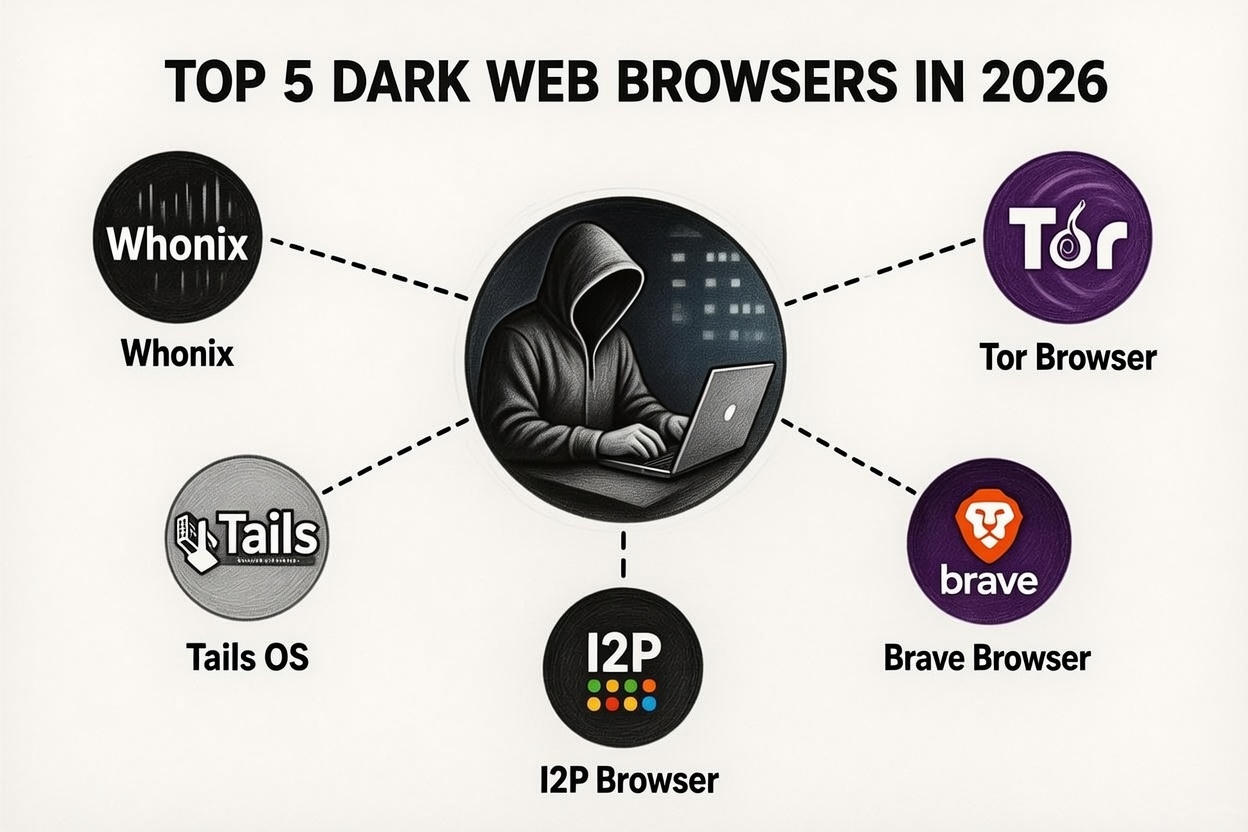
Tor Browser: A Complete Guide to Anonymous Browsing (2026)
What Is Tor Browser?
Tor Browser is a free, open‑source web browser built to protect your privacy and anonymity online. It’s designed to make it difficult for anyone — including your Internet provider, government agencies, advertisers, or trackers — to monitor what you’re doing on the web by routing your traffic through a global network of volunteers.
Originally developed from technology funded by the U.S. Navy, Tor (short for The Onion Router) is now maintained by the Tor Project, a nonprofit focused on digital privacy and free expression.
How Tor Browser Works
At its core, Tor uses a method called onion routing — a multi‑layered encryption scheme that protects your identity online:
- Multiple Relays: When you connect to a website, your traffic is encrypted and sent through three random relays (entry, middle, exit) in the Tor network. Support
- Layered Encryption: Each relay decrypts one layer of encryption (like peeling an onion) so no single relay knows both who you are and where your traffic is going. powerandproxies.com
- Anonymized Exit: The exit relay delivers your request to the destination site, but that site only sees the exit node’s IP address — not your real one. Support
This routing method hides IP addresses, masks your location, and makes it much harder to trace your online actions back to you.
Key Features of Tor Browser
Tor Browser includes several built‑in tools to enhance privacy and security:
- HTTPS Everywhere: Automatically uses HTTPS (secure‑encrypted) connections when available.
- NoScript: Blocks potentially dangerous scripts (like JavaScript) that could reveal identity.
- Privacy‑First Defaults: The browser doesn’t store browsing history, and cookies are cleared when you close it.
- Security Slider: Choose from Standard, Safer, and Safest levels — trading off some website functionality for stronger protection.
- .onion Access: Tor lets you visit special “hidden” sites with
.onionaddresses that are only reachable through the Tor network.
Benefits of Using Tor
Tor Browser is powerful for privacy, especially if you need to avoid surveillance or censorship:
- IP Privacy: Websites can’t see your real IP address.
- Traffic Obfuscation: Your ISP and local observers see only Tor traffic, not the sites you visit.
- Dark Web Access: Tor is the standard way to safely reach
.onionservices.
Limitations & Risks
While Tor boosts anonymity, it has trade‑offs:
- Slower Speeds: Routing through multiple relays adds latency compared to regular browsers.
- Blocked by Some Sites: Many websites block or challenge Tor traffic with captchas.
- Not Foolproof: Tor can hide your network identity — but logging into personal accounts or downloading files can still expose you.
- Exit Node Risks: The exit relay sees the final unencrypted traffic when visiting non‑HTTPS sites, so HTTPS is important.
Best Practices for Safe Tor Use
To get the most privacy and safety from Tor Browser:
✔ Use HTTPS sites whenever possible — encryption protects data past the exit node.
✔ Avoid logging into personal accounts — linking your identity defeats anonymity.
✔ Consider bridges if your ISP or region blocks Tor traffic.
✔ Keep the browser updated — updates fix security vulnerabilities.
✔ Be cautious with .onion sites — not all are safe or legal; some host malicious content.
Who Uses Tor Browser?
Tor isn’t just for “dark web” browsing. Its users include:
- Privacy‑conscious individuals
- Journalists and activists in censored regions
- Security professionals
- Everyday users seeking tracker‑free browsing
Tor offers a strong layer of privacy, but it’s important to understand its limitations and use it wisely alongside secure habits.
If you’d like, I can also provide step‑by‑step instructions for installing and configuring Tor Browser on your device.
Tails OS artical
Here’s a complete article‑style overview of Tails OS — what it is, how it works, its features, benefits, limitations, and best practices:
Tails OS (The Amnesic Incognito Live System): Ultimate Privacy‑First Operating System
Tails OS is a privacy‑focused, secure operating system designed to protect your anonymity and leave no trace on the device you’re using. It’s widely used by journalists, activists, whistleblowers, and privacy‑conscious users worldwide.
What Is Tails OS?
Tails stands for The Amnesic Incognito Live System — a portable operating system that runs entirely from a USB drive or DVD and never installs on your computer’s hard drive. It’s built on Linux (Debian) and forces all internet connections through the Tor network, ensuring web traffic is anonymized by default.
- Portable: Boot it on almost any computer without leaving traces.
- Amnesic: All data and activity disappear after shutdown unless you enable encrypted persistent storage.
- Tor‑based: Every connection goes through Tor, hiding your IP and location.
How Tails OS Protects Your Privacy
💡 No Trace Left Behind ﹣ Amnesic Design
Tails runs in your computer’s RAM and avoids using the internal hard drive, so nothing you do gets saved unless you specifically opt into encrypted persistence. When you shut down, all data gets wiped.
🌐 Tor Network by Default
All traffic — including web browsing and apps — is automatically routed through the Tor network. This makes it very difficult for anyone (including ISPs or governments) to trace your activity back to you.
🔐 Pre‑Installed Privacy Tools
Tails comes with a suite of pre‑configured tools designed for secure communication, encrypted email, password management, and anonymous file sharing, including:
- Tor Browser (anonymized web browsing)
- PGP/GnuPG (encryption for files and emails)
- KeePassXC (password manager)
- OnionShare (secure file sharing)
- Metadata Anonymization Toolkit (remove identifying information)
🔄 Encrypted Persistence (Optional)
If you want to keep files or settings between sessions, Tails lets you create encrypted persistent storage on the same USB stick — protected by a passphrase.
Benefits of Using Tails OS
✅ Strong Anonymity and Anti‑Surveillance
Built to hide your IP and location by forcing all connections over Tor.
✅ No Data Left on the Computer
Nothing is written to the host machine — ideal when using public or shared computers.
✅ Portable Across Devices
Carry your OS and privacy tools on a USB drive and use them anywhere.
✅ Open Source and Auditable
Tails is free, open‑source software — meaning anyone can inspect its code for security.
Limitations & Risks You Should Know
⚠️ Not for Everyday Use
Tails is designed for high security, not general computing. It lacks many features of full desktop OSes and can feel restrictive. .
⚠️ Slower Internet Speeds
Because all traffic goes through Tor, browsing and downloads can be slower than normal.
⚠️ Hardware Compatibility
Some hardware (Wi‑Fi adapters, graphics cards) may not work perfectly.
⚠️ Depends on Endpoint Security
If the computer you’re booting from has malware in firmware (e.g., BIOS/UEFI) or keyloggers, Tails can’t fully protect you.
⚠️ User Errors Can Reduce Security
Mistakes like logging into personal accounts or connecting to unsafe peripherals can expose identity.
Who Should Use Tails OS?
Tails is ideal for:
🌍 Activists and journalists operating under censorship or surveillance.
🕵️ Whistleblowers and privacy advocates needing strong anonymity.
🔐 Cybersecurity professionals and researchers.
Not ideal for:
💼 Everyday browsing, gaming, office tasks. .
Best Practices for Safe Use
🔑 Verify the Tails USB image with cryptographic signatures before use.
🌐 Use Tor bridges if Tor is blocked in your region.
🔒 Avoid logging into personal accounts that could link your Tails activity to your identity.
🚫 Be cautious with untrusted networks and peripherals.
Recent Developments
Tails OS has recently merged with the Tor Project, aiming to improve collaboration, sustainability, and continued development of privacy tools.
In summary: Tails OS is one of the most powerful tools available for anonymous computing — but it’s specialized, with trade‑offs in speed and convenience. It’s best used thoughtfully and with strong operational security practices.
If you want, I can also provide a step‑by‑step guide for installing and booting Tails from a USB stick
Brave Browser artical
Brave Browser: A Privacy‑First Web Browser (2026 Overview)
Brave Browser is a fast, privacy‑focused web browser designed to protect users from ads, trackers, and invasive data collection while offering modern features and performance. With over 100 million monthly users, it’s one of the most popular alternatives to traditional browsers like Chrome and Firefox.
🛡️ What Is Brave Browser?
- Built on Chromium: Brave uses the same open‑source foundation as Google Chrome but removes many privacy‑harmful features and blocks connections to Google when possible.
- Cross‑Platform Support: Available for desktops (Windows, macOS, Linux) and mobiles (Android, iOS), making it accessible on nearly any device.
- Privacy by Default: Brave blocks ads, trackers, fingerprinting scripts, and more without needing extensions — right out of the box.
🔐 Core Privacy & Security Features
1. Brave Shields
Brave’s main privacy engine — Shields — automatically blocks:
✔ Third‑party ads and tracking cookies
✔ Fingerprinting attempts
✔ Cross‑site tracking and bounce tracking
✔ Malware and phishing attempts
All this happens without requiring add‑ons or manual setup.
2. Private Windows with Tor (Optional)
You can open a private browsing window that routes your traffic through the Tor network, giving you additional anonymity by masking your IP (though it may slow down browsing).
3. Fingerprint Randomization & Cookie Filters
Brave additionally randomizes certain browser attributes and strips tracking query parameters from URLs to further protect you from being uniquely “fingerprinted.”
4. HTTPS Upgrades & Social Media Blocking
The browser tries to use secure connections (HTTPS) whenever possible and can block embedded social media content that tracks users behind the scenes.
⚡ Performance & User Experience
- Faster Browsing: By blocking ads and trackers, pages often load significantly faster and use less data.
- Lower Resource Use: Without heavy ad scripts, Brave can consume less CPU and memory in many cases.
- Familiar UI: Since it’s Chromium‑based, the layout and features feel familiar to Chrome users — including support for many Chrome extensions.
💡 Additional Built‑In Features
- Brave Search: A privacy‑respecting search engine that doesn’t track users or sell their data.
- Brave Rewards & BAT: Users can opt in to see privacy‑preserving ads and earn Basic Attention Token (BAT), which can support creators or be redeemed — though some find this opt‑in model confusing.
- Security Tools: Built‑in password manager, sync (encrypted across devices), news feed, video/audio playlist tools, and translation support.
👍 Benefits of Using Brave
✔ Strong default privacy protections — no setup needed.
✔ Faster and lighter than many mainstream browsers due to blocking heavy ads and scripts.
✔ Optional privacy layers like Tor integration without extra downloads.
✔ Cross‑device sync and other modern browser conveniences.
👎 Potential Drawbacks
⚠ Website Compatibility Issues: Some sites may not work fully due to strict blocking rules.
⚠ Limited Extension Support: While compatible with many Chrome extensions, some may behave differently.
⚠ Rewards Model Trade‑offs: The BAT system and optional data collection for rewards can be confusing for privacy purists.
⚠ Not a Full VPN: Brave doesn’t include a VPN by default (though there are optional paid services).
📈 How It Compares on Privacy
Independent tests show Brave scores highly in protecting against tracking and fingerprinting compared with other major browsers, thanks largely to its Shields and privacy‑oriented design.
Conclusion
Brave Browser offers a compelling balance of performance, privacy, and ease of use — ideal for users who want a more private internet experience without needing technical setup or additional plugins. Its default blocking features and optional privacy tools make it a strong alternative to mainstream browsers, though power users may still need specialized tools for even deeper anonymity or security.
LibreWolf Browser: A Privacy‑Focused Firefox Fork (2026 Overview)
LibreWolf is an open‑source, privacy‑oriented web browser that’s built from the Firefox source but modified to maximize user privacy, security, and freedom. It’s especially popular with users who want minimal tracking, no telemetry, and stronger anti‑tracking protections than mainstream browsers offer.
🛡️ What Is LibreWolf?
LibreWolf is essentially Firefox without data collection, telemetry, and many built‑in features that could compromise privacy. It’s a community‑driven project that hardens the browser’s default settings for privacy and security.
Unlike Chrome or standard Firefox, LibreWolf:
- Removes telemetry, crash reporting, and data collection by default.
- Strips out sponsored content and ads from the browser interface.
- Disables DRM components that could affect user freedom.
This makes it a compelling choice for users who want a more private browser experience without Google’s ecosystem or built‑in trackers.
🔐 Core Privacy & Security Features
LibreWolf comes with several built‑in protections that help reduce data leakage and blocking tracking techniques automatically:
1. No Telemetry or Data Collection
LibreWolf disables all telemetry, crash reports, and usage analytics. There’s no infrastructure for collecting user data, making it very privacy‑centric from the ground up.
2. Built‑In Ad/Tracker Blocking
uBlock Origin — a powerful ad and tracker blocker — is pre‑installed and ready by default, eliminating the need for users to install extensions for basic protections.
3. Enhanced Tracking Protection
The browser enables strict tracking protection and Total Cookie Protection (dFPI), which isolates cookies to each site and stops cross‑site tracking.
4. Anti‑Fingerprinting
LibreWolf uses Resist Fingerprinting (RFP) techniques — this makes browsers look more uniform to websites, reducing unique signatures that can be used to track users across the web.
5. Search Engines That Respect Privacy
By default, privacy‑respecting search engines like DuckDuckGo, Searx, and Qwant are available, rather than trackers like Google or Bing.
6. Secure Connection Defaults
The browser enforces HTTPS‑Only Mode so your connections are encrypted wherever possible and warns about insecure sites.
7. Disabled WebGL & Tracking Parameters
WebGL — a known fingerprinting vector — is disabled by default, and LibreWolf strips tracking codes from URLs automatically.
⚙️ Other Settings & Defaults
LibreWolf also comes with:
- No sponsored content, prompts, or recommendations on the start page.
- Disabled built‑in password manager to avoid storing sensitive data insecurely.
- Warnings against using Tor with the browser — for true anonymity you should use Tor Browser instead.
👍 Benefits of Using LibreWolf
✔ Top‑Tier Privacy Out of the Box — minimal setup needed for strong protections.
✔ Open Source & Transparent — anyone can review the code.
✔ Reduced Tracking & Ads — stops most trackers without extra extensions.
✔ Familiar Firefox Foundation — familiar interface for Firefox users.
👎 Potential Downsides & Limitations
⚠ Website Compatibility Issues: Strict protections can sometimes break site functionality (e.g., WebGL content).
⚠ No Automatic Updates: You must update manually or via package managers.
⚠ Missing Built‑in Features: Password manager and DRM support are disabled by default.
⚠ Not a Full Anonymity Tool: LibreWolf improves privacy but doesn’t hide your IP — for anonymity you still need tools like VPNs or the Tor Browser.
📊 Who Should Use LibreWolf?
LibreWolf is best suited for users who:
- Value privacy and want minimal data tracking.
- Prefer open‑source software with community governance.
- Are comfortable adjusting browser settings and troubleshooting compatibility issues.
It’s a great choice for privacy enthusiasts, security professionals, and anyone wanting a browser that by default reduces data leakage more than mainstream options.
Summary:
LibreWolf takes Firefox’s strong open‑source foundation and removes telemetry, tracking, ads, and other privacy risks while adding built‑in blockers and hardened defaults. It isn’t perfect for every user — some sites may break without manual adjustments — but it’s one of the most privacy‑centric browsers available today.
If you’d like, I can also share how to install LibreWolf on Windows, macOS, or Linux step‑by‑step.
I2P (Invisible Internet Project) artical
Here’s a comprehensive article‑style overview of I2P (Invisible Internet Project) — what it is, how it works, its features, benefits, risks, and how it compares to other privacy networks:
I2P (Invisible Internet Project): Anonymous Networking Explained
I2P (Invisible Internet Project) is a decentralized, privacy‑focused overlay network that allows users to communicate, share data, and host services anonymously without revealing their IP address, identity, or location. It’s designed as a peer‑to‑peer network with robust encryption and routing mechanisms, making it resistant to surveillance, tracking, and censorship.
🧠 What Is I2P?
I2P is an anonymous communication network layer built on top of the regular Internet. Rather than acting as a conventional browser or service, it creates a private virtual network where traffic is encrypted and routed through many volunteer‑operated nodes. This design provides strong anonymity and privacy for communications and services within the I2P network itself.
I2P was initiated in the early 2000s (around 2002–2003) as an open‑source project aimed at building a more secure and censorship‑resistant internet infrastructure.
🧩 How I2P Works
I2P protects privacy using a combination of encryption and advanced routing techniques:
🔒 Garlic Routing
I2P uses garlic routing, a variation of onion routing where multiple messages are bundled together before being encrypted and sent through the network. This enhances privacy and makes it significantly harder to correlate traffic or extract metadata.
📡 Unidirectional Tunnels
Instead of simple bidirectional paths, I2P uses separate inbound and outbound tunnels. This means that your own router only ever sees one half of any communication, making timing or traffic correlation attacks more difficult.
🧠 Fully Distributed Network Database
I2P doesn’t rely on central authorities or directories. Instead, it uses a distributed hash table (DHT) — a peer‑maintained database — to discover network routes and services. This helps avoid central points of failure or censorship.
🔐 End‑to‑End Encryption
All messages in I2P are encrypted multiple times (four layers, typically) from sender to receiver using cryptographic identifiers rather than IP addresses. This prevents outside observers from seeing message contents or endpoints.
I2P functions as a self‑contained network — meaning that most activities occur inside the network rather than exiting to the public Internet:
- 🕸️ Anonymous web browsing of I2P “eepsites” (internal sites with
.i2paddresses). - 📡 Peer‑to‑peer communication such as messaging and file sharing.
- 📨 Anonymous email and data services via built‑in or third‑party apps.
- 📍 Hosting services (like blogs, forums, or file servers) that remain private within the I2P ecosystem.
Unlike Tor — which is often used to access the regular internet anonymously — I2P focuses primarily on internal networking and services.
🧠 I2P vs Other Privacy Networks
I2P’s design is distinct from other anonymity systems:
| Feature | I2P | Tor |
|---|---|---|
| Primary Focus | Internal hidden services & P2P apps | Anonymous access to clearnet & hidden services |
| Architecture | Fully distributed, packet‑switched | Directory‑supported, circuit‑switched |
| Routing | Unidirectional tunnels, garlic routing | Bidirectional circuits, onion routing |
| Exit Nodes | No traditional exit nodes | Uses exit nodes for clearnet access |
I2P tends to be stronger for peer‑to‑peer and internally hosted services, while Tor is more widely used for anonymous browsing of the public web.
👍 Advantages of Using I2P
✔ Strong Privacy and Anonymity: Traffic is encrypted and relayed through multiple nodes, making it hard to trace.
✔ Decentralized Network: No central authorities or directories reduce censorship risk.
✔ Native Internal Services: Hosts and accesses services within the network without exposing IPs.
✔ Peer‑to‑Peer Friendly: Works well with P2P applications like file sharing.
⚠️ Limitations and Considerations
⚠ Not Designed for Clearnet Anonymity: I2P excels inside its network but isn’t optimized for general internet browsing like Tor.
⚠ Learning Curve: Setting up and using I2P effectively often requires more technical knowledge than mainstream tools.
⚠ Slower Connections: Routing through many relays and encryption layers can impact speed.
⚠ Anonymity Isn’t Perfect: No system can guarantee complete anonymity; there are ongoing academic debates about potential weaknesses.
🧠 Who Uses I2P and Why
I2P attracts users who want privacy‑centric communication, censorship resistance, and internal hosting — including activists, journalists in restrictive regions, privacy advocates, developers, and hobbyists exploring decentralized networking.
Unlike typical VPNs or proxy services, I2P isn’t just about hiding your IP — it’s about creating a privacy‑preserving ecosystem for communication and content that doesn’t rely on centralized infrastructure.
🛠️ Getting Started with I2P
To use I2P you typically:
- Install the I2P router software (often Java‑based).
- Configure your applications (like browsers or chat clients) to proxy through I2P.
- Explore internal eepsites and services via .i2p addresses.
I2P provides documentation and community support to help new users get connected and configure apps.
Summary
I2P (Invisible Internet Project) is a powerful, decentralized anonymity network focused on secure internal communications and services. Its unique design — with garlic routing, unidirectional tunnels, and a fully distributed database — makes it a compelling option for privacy‑first users seeking more than basic IP masking. Although not as mainstream as Tor, I2P plays an important role in the broader privacy landscape by enabling anonymous peer‑to‑peer networking and internally hosted services.
If you want, I can also explain how to install and configure I2P on your device or compare it to Tor and VPNs!
